The two windows
ClipMate has two main windows that show the same clips. Use whichever suits what you're doing, and press Ctrl+E in either one to switch to the other.
ClipMate Explorer
Use Explorer to organize, search and edit your clips. It has your collections on the left, the clip list at the top right, and the selected clip's content below it.
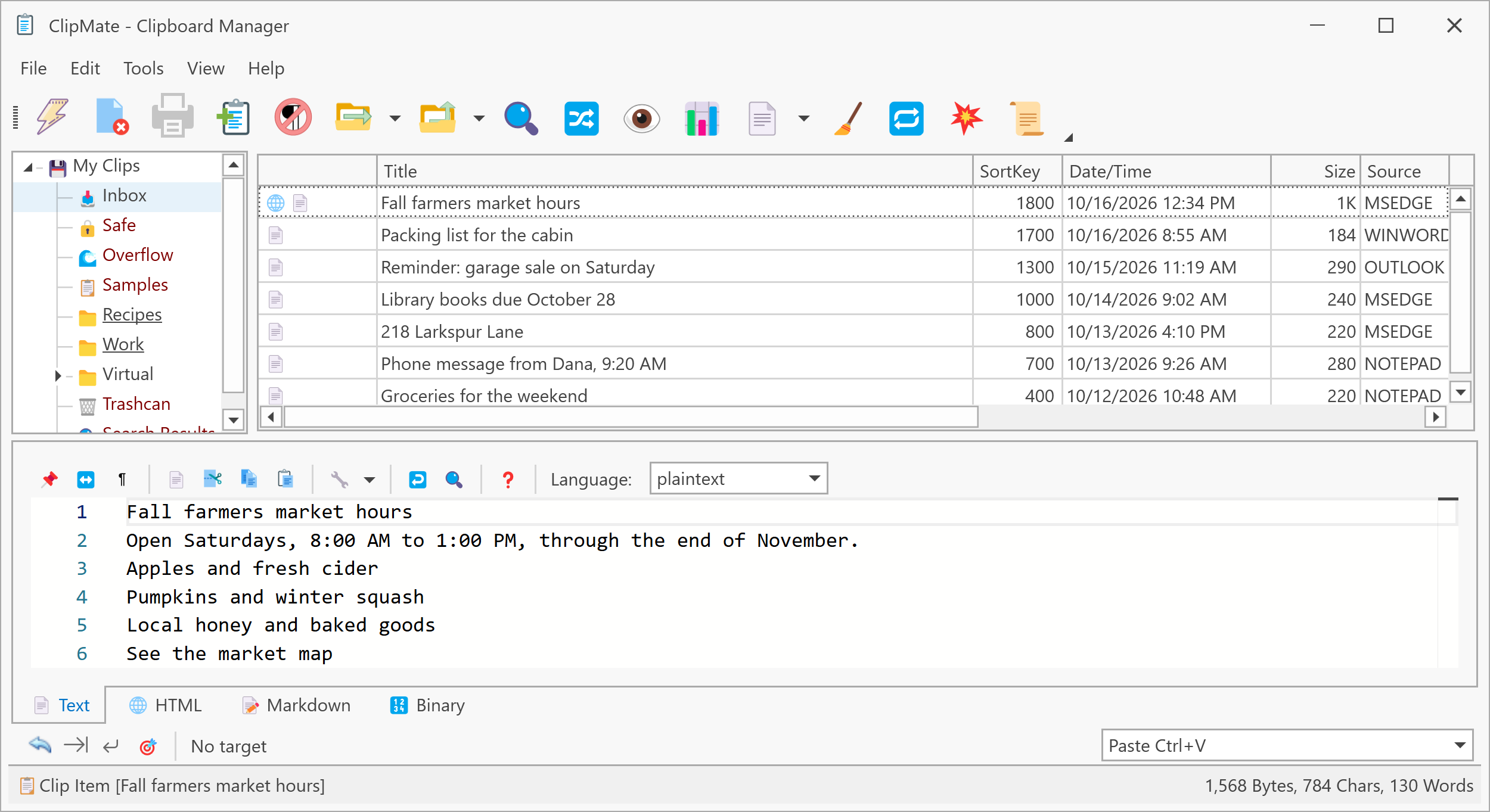
Clicking the tray icon opens Explorer. See ClipMate Explorer for more.
ClipMate Classic
Use Classic when you want your clips close at hand while you work in another program. It's smaller, with the toolbar and the clip list.
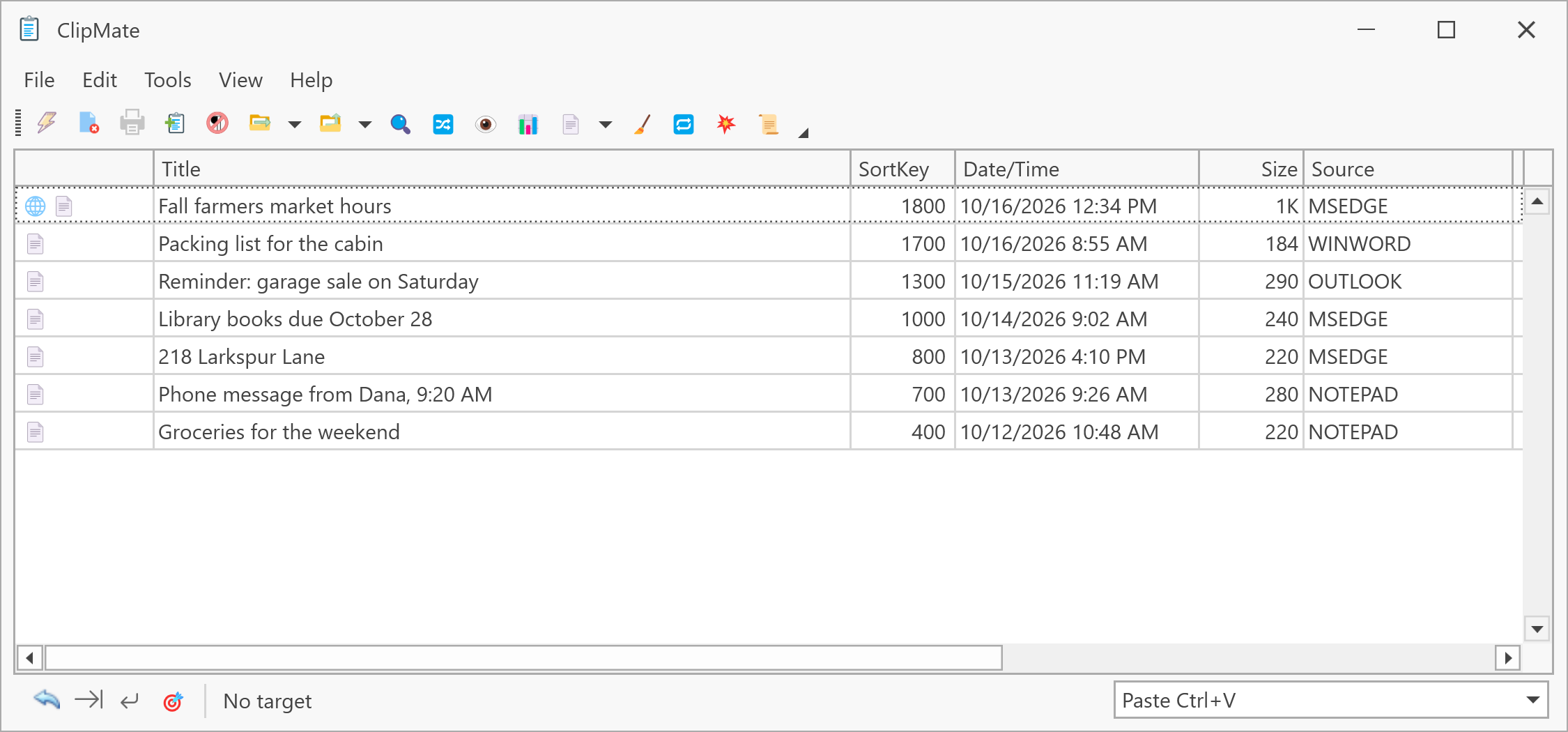
Right-click the tray icon and choose Open ClipMate Classic. See ClipMate Classic for more.
Next step
From here, the tutorial walks through pasting, PowerPaste and more.