The User Interface
ClipMate has two main windows—ClipMate Classic and ClipMate Explorer. Each interface is designed for different usage scenarios, and you can easily switch between them.
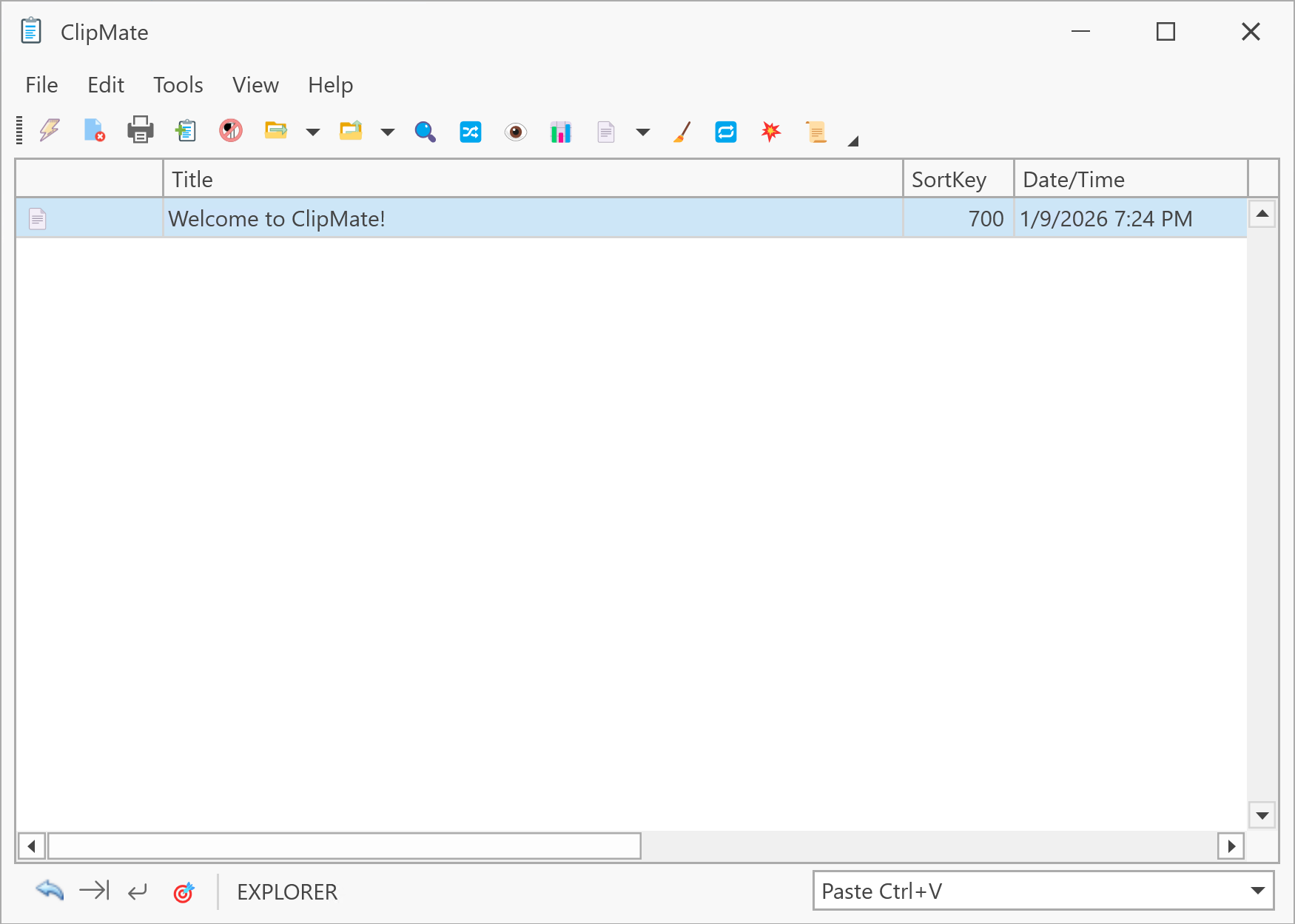
ClipMate Classic
ClipMate Classic is essentially a toolbar with a drop-down list of clips and a preview area. It's intended for quick access to your data and takes up much less screen space than Explorer. The interface closely resembles earlier versions of ClipMate.
Learn more about ClipMate Classic →
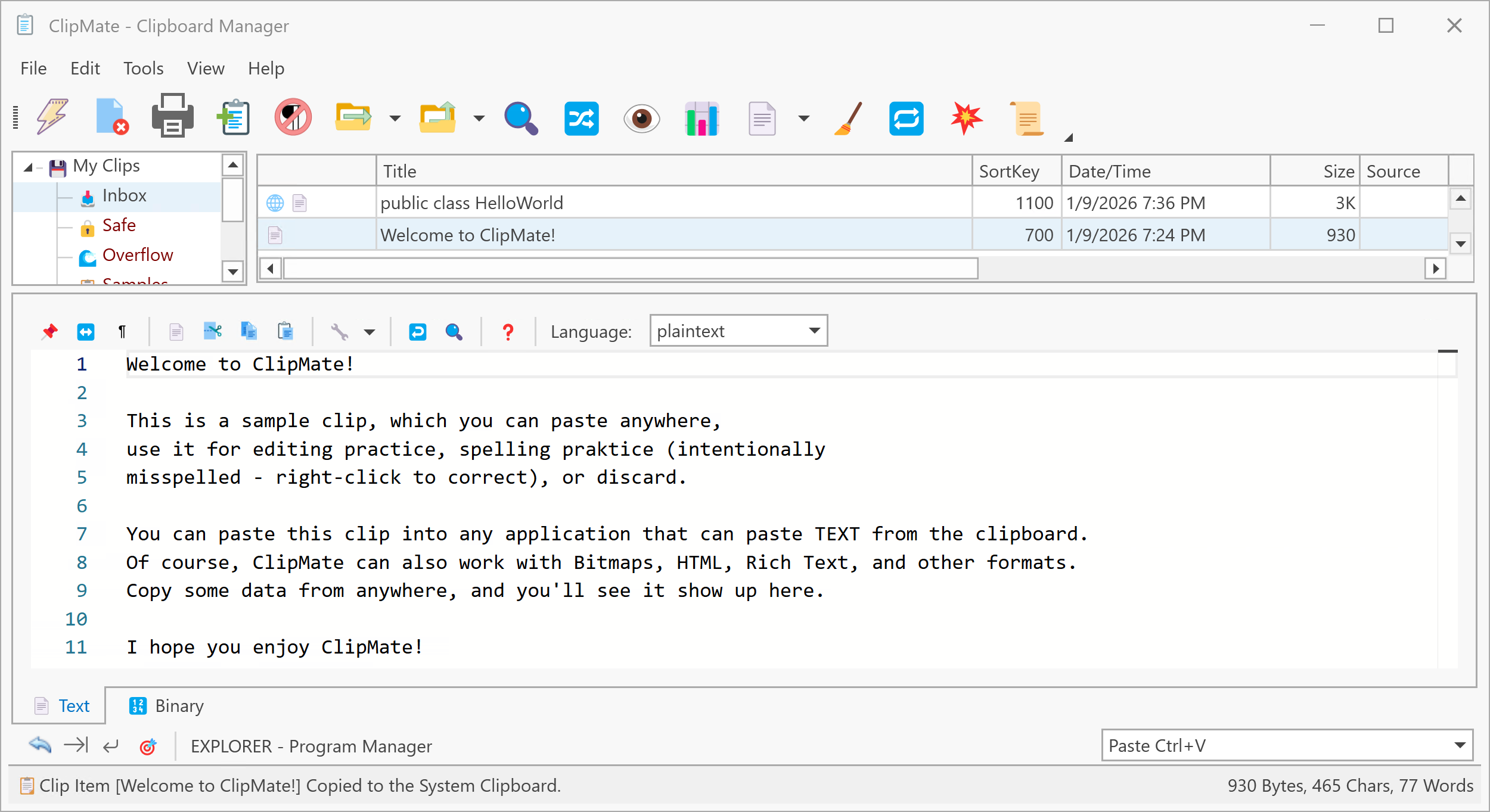
ClipMate Explorer
ClipMate Explorer features a three-pane interface similar to Windows Explorer, with a Collection Tree on the left, ClipList on the right, and Preview/Edit pane below. It's intended for heavy-duty editing and organization of your clips.
Learn more about ClipMate Explorer →
Switching Between Views
You can easily move between ClipMate Classic and Explorer:
- Press Ctrl+E to toggle between views
- Click the Switch Between Classic/Explorer toolbar button
- Use View → Open ClipMate Classic or View → Open ClipMate Explorer from the menu
Common Elements
All ClipMate interfaces share these common elements:
| Element | Description |
|---|---|
| Main Toolbar | Buttons for common operations like PowerPaste, Delete, Search |
| ClipList | The list of clips in the current collection |
| Preview/Edit Window | View and edit clip contents |
| Visibility Settings | Control always-on-top and auto-hide behavior |