Copy Clips to Collection
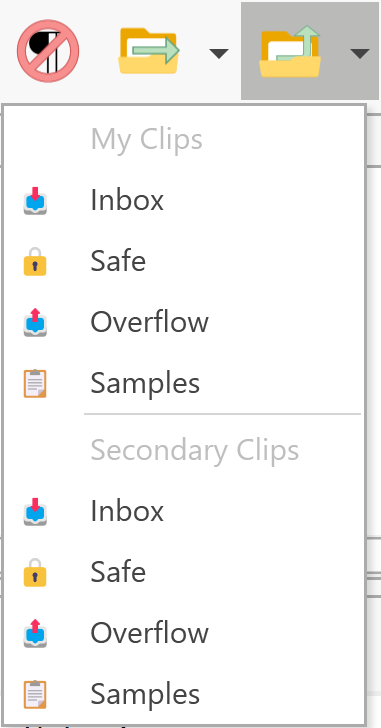
Copies selected clip(s) to another collection while keeping the original in place. Use this when you want a clip to exist in multiple collections.
Usage
This is a split button with two parts:
Drop-Down Arrow
Click the arrow to see a menu of available collections. Select a collection, and copies of the selected clips are created there.
Icon Button
Click the icon (not the arrow) to repeat the last copy operation using the same target collection.
Alternative Methods
| Method | Action |
|---|---|
| Drag and Drop | Drag clips with the right mouse button to a collection, then select Copy |
| Menu | Edit → Copy to Collection |
Performance Note
Copying a large number of clips is slower than moving them:
| Operation | Process |
|---|---|
| Move | Simple database update (very fast) |
| Copy | Each clip must be read, cloned, and written as a new record |
For organizing large numbers of clips, consider whether you really need copies or if moving would suffice.
Behavior Options
By default, clicking the icon repeats the last action without showing the menu. To always show the menu:
- Go to Options → Advanced
- Disable the option to reuse the last selection